Creating Beautiful Diagrams with Mermaid
Learn how to create flowcharts, sequence diagrams, and more using Mermaid syntax in your blog posts.
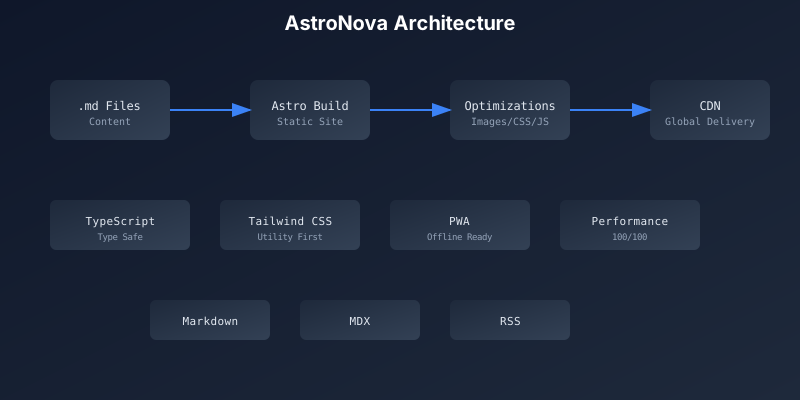
Mermaid is a powerful JavaScript library that allows you to create diagrams and visualizations using simple text-based syntax. This blog now supports Mermaid diagrams directly in Markdown!
Getting Started with Mermaid
Simply wrap your diagram code in a code block with the mermaid language identifier. The diagram will be automatically rendered when the page loads.
Flowchart Example
Flowcharts are great for visualizing processes and decision trees:
flowchart TD
    A[Start] --> B{Is it working?}
    B -->|Yes| C[Great!]
    B -->|No| D[Debug]
    D --> E[Fix the code]
    E --> B
    C --> F[Deploy]
    F --> G[End]
Sequence Diagram
Perfect for showing interactions between components:
sequenceDiagram
    participant User
    participant Browser
    participant Server
    participant Database

    User->>Browser: Enter URL
    Browser->>Server: HTTP Request
    Server->>Database: Query Data
    Database-->>Server: Return Results
    Server-->>Browser: HTML Response
    Browser-->>User: Render Page
Git Graph
Visualize your Git branching strategy:
gitGraph
    commit id: "Initial"
    branch develop
    checkout develop
    commit id: "Feature A"
    branch feature/login
    checkout feature/login
    commit id: "Add login form"
    commit id: "Add validation"
    checkout develop
    merge feature/login
    checkout main
    merge develop tag: "v1.0"
State Diagram
Great for showing state machines and transitions:
stateDiagram-v2
    [*] --> Idle
    Idle --> Loading: Fetch Data
    Loading --> Success: Data Received
    Loading --> Error: Request Failed
    Success --> Idle: Reset
    Error --> Loading: Retry
    Error --> Idle: Cancel
Entity Relationship Diagram
Perfect for database schema visualization:
erDiagram
    USER ||--o{ POST : creates
    USER ||--o{ COMMENT : writes
    POST ||--o{ COMMENT : has
    POST ||--o{ TAG : tagged_with

    USER {
        int id PK
        string username
        string email
        datetime created_at
    }

    POST {
        int id PK
        string title
        text content
        int author_id FK
        datetime published_at
    }
Class Diagram
Useful for documenting code architecture:
classDiagram
    class BlogPost {
        +String title
        +String content
        +Date publishedAt
        +Author author
        +render()
        +publish()
    }

    class Author {
        +String name
        +String email
        +List~BlogPost~ posts
        +getProfile()
    }

    class Comment {
        +String text
        +User author
        +Date createdAt
    }

    BlogPost "1" --> "*" Comment : has
    Author "1" --> "*" BlogPost : writes
Pie Chart
Simple data visualization:
pie title Technology Stack
    "TypeScript" : 40
    "Astro" : 25
    "Tailwind CSS" : 20
    "React" : 15
Tips for Using Mermaid
- Keep it Simple: Complex diagrams can be hard to read. Break them into smaller parts if needed.
- Use Colors: Mermaid supports custom styling to highlight important elements.
- Dark Mode: Diagrams automatically adapt to the current theme.
- Export: Right-click on any diagram to save it as an image.
Syntax Reference
For more diagram types and syntax options, check out the official Mermaid documentation.
Happy diagramming! 📊
Related Posts
Building a Progressive Web App with Astro: Offline-First Experience
Learn how this blog delivers native app-like experiences through PWA features including offline support, push notifications, and install prompts.
Dynamic Giscus Theme Switching: How Our Astro Blog Adapts to User Preferences
A deep dive into implementing seamless giscus comment system theme switching based on user-selected color schemes, with automatic detection and real-time updates.
Modern JavaScript Features You Should Be Using
Explore the latest JavaScript features from ES2020 to ES2024 that will make your code cleaner, more readable, and more efficient.